Ga naar inhoud
Inloggen →
Sidebar tonen Sidebar tonen

Erelijst

Populaire inhoud

Toont inhoud met de hoogste reputatie op 08/06/26 in alle zones
  1. ga ik dat doen! Normaal zijn die chats van die autoscripts waar je niets mee kunt
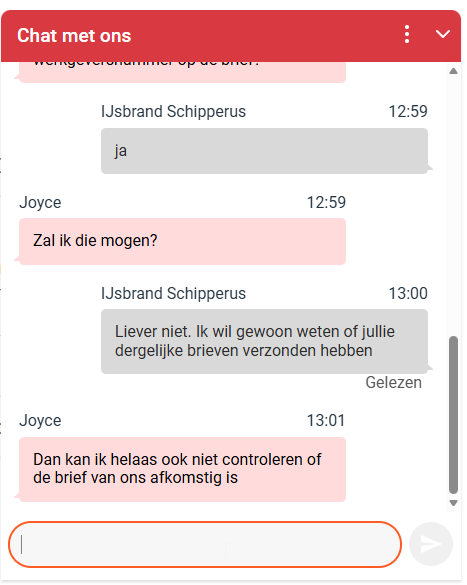
  2. Ik krijg wel contact via de chat:
Deze erelijst is ingesteld op Amsterdam/GMT+02:00

Account

Navigation

Zoeken

Zoeken

Configure browser push notifications

Chrome (Android)
  1. Tap the lock icon next to the address bar.
  2. Tap Permissions → Notifications.
  3. Adjust your preference.
Chrome (Desktop)
  1. Click the padlock icon in the address bar.
  2. Select Site settings.
  3. Find Notifications and adjust your preference.